
Log the set.
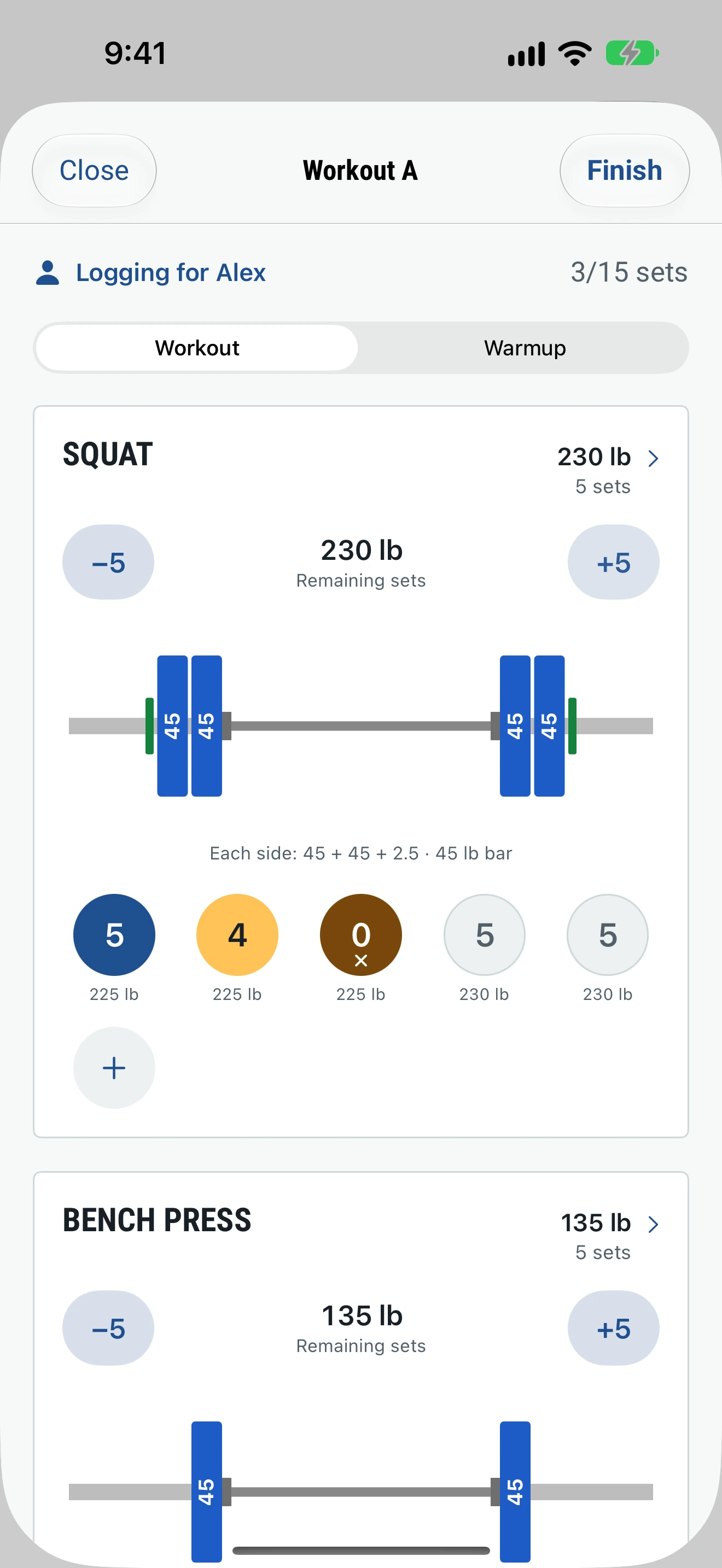
Tap a set to log the target reps. Tap again to count down. Press and hold for a failed set.
Strength training for iPhone
The training sheet
for the barbell.
Easy, simple and fast. Get in, get your workout done, move on. Iron Sheet keeps your history, shows your progress and sends every workout to Apple Health and Strava.
No subscription. No ads.
01 / How it works
Open today’s workout, tap each set as you finish it, and you’re done. Every workout goes into your history, so you can see your progress lift by lift.
Tap a set to log the target reps. Tap again to count down. Press and hold for a failed set.
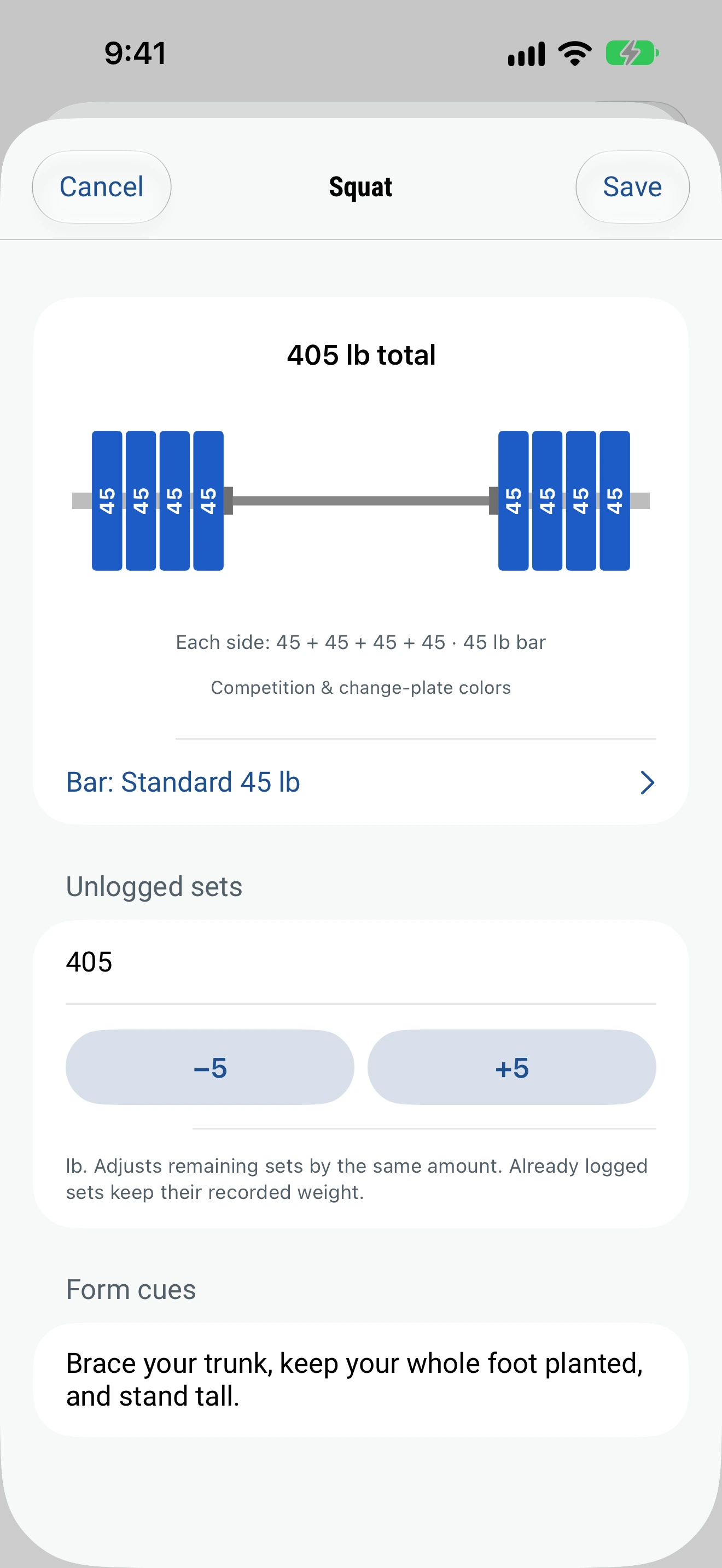
Tap ±5 or ±10. The plate drawing shows what to load, using the plates you own.
Add your own exercises and workouts. Pick a set style, your bar and the plates in your gym.
Every workout is saved. Look back on the calendar, edit past sessions and follow each lift on a chart.
02 / Specifications
| Bar | Standard · Safety Bar · Trap Bar · Kabuki Bar |
|---|---|
| Adjust | One tap: ±5 and ±10 |
| Plate inventory | Set the plates you own: 100 lb steel · 55 · 45 · 35 · 25 · change plates 10 / 5 / 2.5 / 1.25 |
| Programs | Classic 5×5 · Beginner 3×5 · Full Body · Upper/Lower · Push/Pull/Legs · Powerlifting · Hypertrophy · Minimalist · or build your own |
| Training tools | Warm-ups · calendar view · progress charts · history editing |
| Integrations | Apple Health · Strava |
| Storage | Works offline · CSV export · JSON backup |
| Subscription | None |
| Ads | None |
03 / For trainers
Trainers and clients each have their own account. The trainer plans and logs. The client sees every workout and stays in control.
Enter their mobile number. They get a link to download Iron Sheet and accept.
Plan each client’s workouts and log their sets during a session. You also see every workout they log on their own.
Clients see every workout their trainer logged and can edit it. They can work with more than one trainer and remove a trainer at any time.
Trainers lift too. Your own workouts stay separate from your clients’.
04 / Integrations
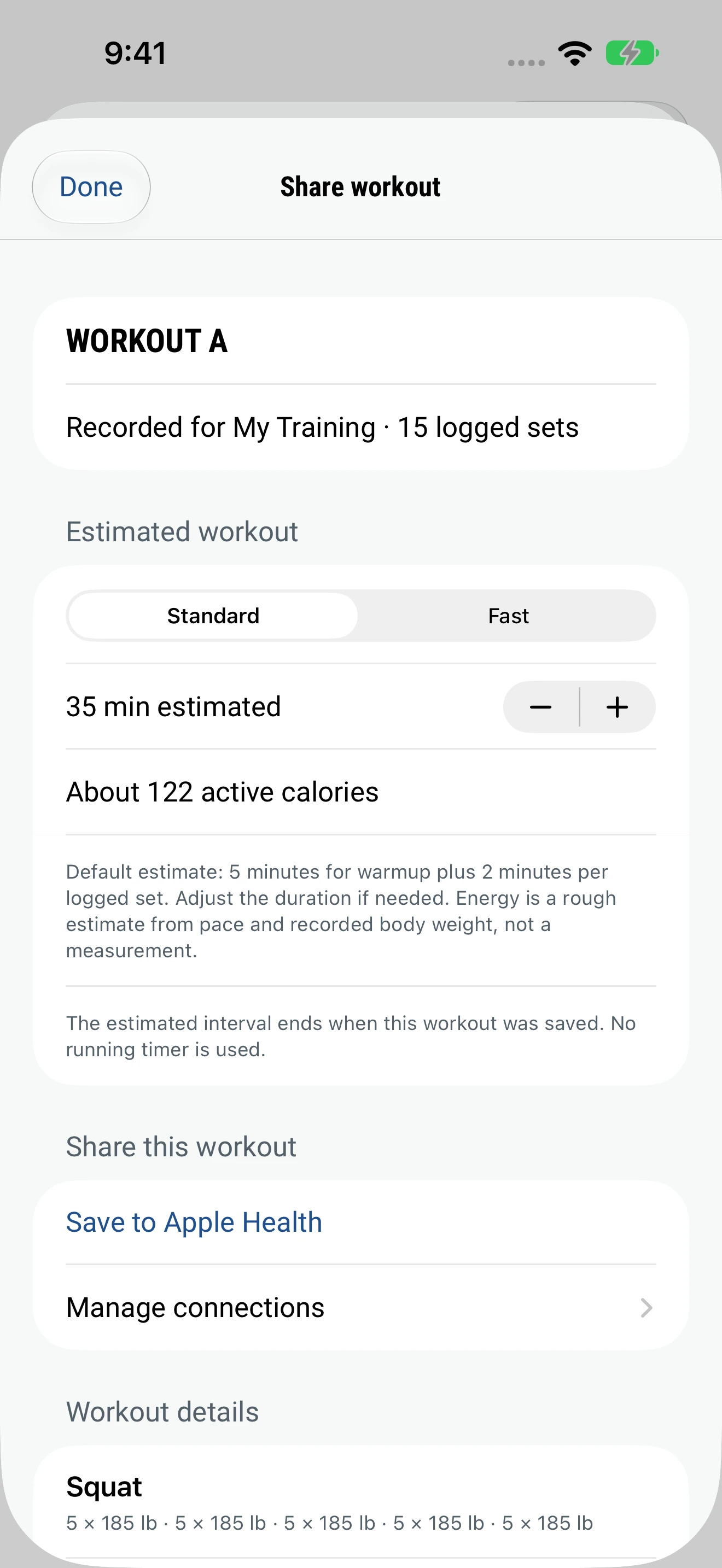
Connect Apple Health and Strava once. Each workout you finish goes to both, with its time and calories.
Saved as a strength workout, so it counts toward your activity and recovery stats. Iron Sheet writes to Apple Health and never reads your health data.
The same workout, with the same time and calories, in your Strava training log.
Iron Sheet estimates how long you trained and the calories you burned from your workout and your body weight. A heavier lifter and a lighter lifter doing the same bench press get different calories. You can adjust the time before you save.
05 / FAQ
Yes. Invite a client by text. Once they accept, you can build their workouts, log their sets and see every workout they log on their own.
Yes, once you accept their invite. You can edit any workout they logged for you, and you can remove a trainer at any time.
Yes. Connect them once and each workout is saved with its estimated time and calories. Iron Sheet writes to Apple Health and never reads from it.
In Settings, tap “Back up all profiles” and save the file somewhere private. On the new phone, tap “Restore a backup”. Restoring replaces everything on that phone. Reconnect Apple Health afterwards.
To remove one client: select them, open Settings, tap the training profile, then Delete Client. To erase everything, delete the app. Workouts already saved to Apple Health or Strava, and files you exported, stay where they are; delete them there.
No. No subscription and no ads.